Get it step by step

Placerion lets you collect digital stamps that prove where you’ve been. Each one captures the spirit of a place - whether it's a castle, festival, café, or a football match. Instead of just taking a photo, you’re taking home a unique digital memory. Every trip you take adds another piece to your personal collection, building a lasting story of your travels, passions, and memories.

1.

Discover

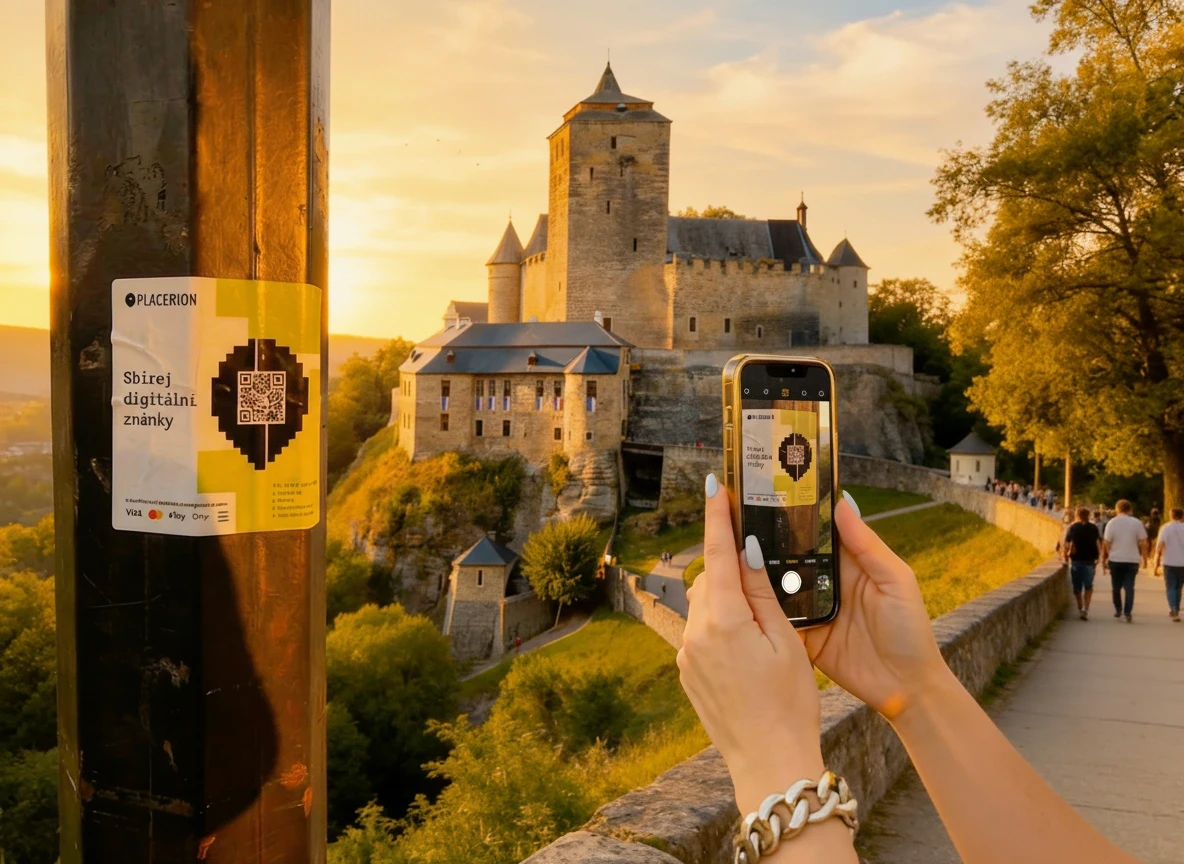
While traveling, exploring your city, or visiting new experiences, you’ll come across places that are part of Placerion. Each participating location has its own unique digital stamp waiting for you. You can also discover Placerion locations directly on the Placerion map.
1.

Discover

While traveling, exploring your city, or visiting new experiences, you’ll come across places that are part of Placerion. Each participating location has its own unique digital stamp waiting for you. You can also discover Placerion locations directly on the Placerion map.

1.

Discover

While traveling, exploring your city, or visiting new experiences, you’ll come across places that are part of Placerion. Each participating location has its own unique digital stamp waiting for you. You can also discover Placerion locations directly on the Placerion map.

2.

Scan

At the location, scan the Placerion QR code. The scan opens the Placerion page for that specific place, where you can see the digital stamp, basic information about the location, and confirm that the stamp is available for this visit.

2.

Scan

At the location, scan the Placerion QR code. The scan opens the Placerion page for that specific place, where you can see the digital stamp, basic information about the location, and confirm that the stamp is available for this visit.

2.

Scan

At the location, scan the Placerion QR code. The scan opens the Placerion page for that specific place, where you can see the digital stamp, basic information about the location, and confirm that the stamp is available for this visit.

3.

Sign in & pay

Sign in to your Placerion account using Google or another supported method, then purchase the digital stamp using a familiar payment option such as a credit card, Apple Pay, Google Pay, or cryptocurrency.

3.

Sign in & pay

Sign in to your Placerion account using Google or another supported method, then purchase the digital stamp using a familiar payment option such as a credit card, Apple Pay, Google Pay, or cryptocurrency.

3.

Sign in & pay

Sign in to your Placerion account using Google or another supported method, then purchase the digital stamp using a familiar payment option such as a credit card, Apple Pay, Google Pay, or cryptocurrency.

4.

Collect

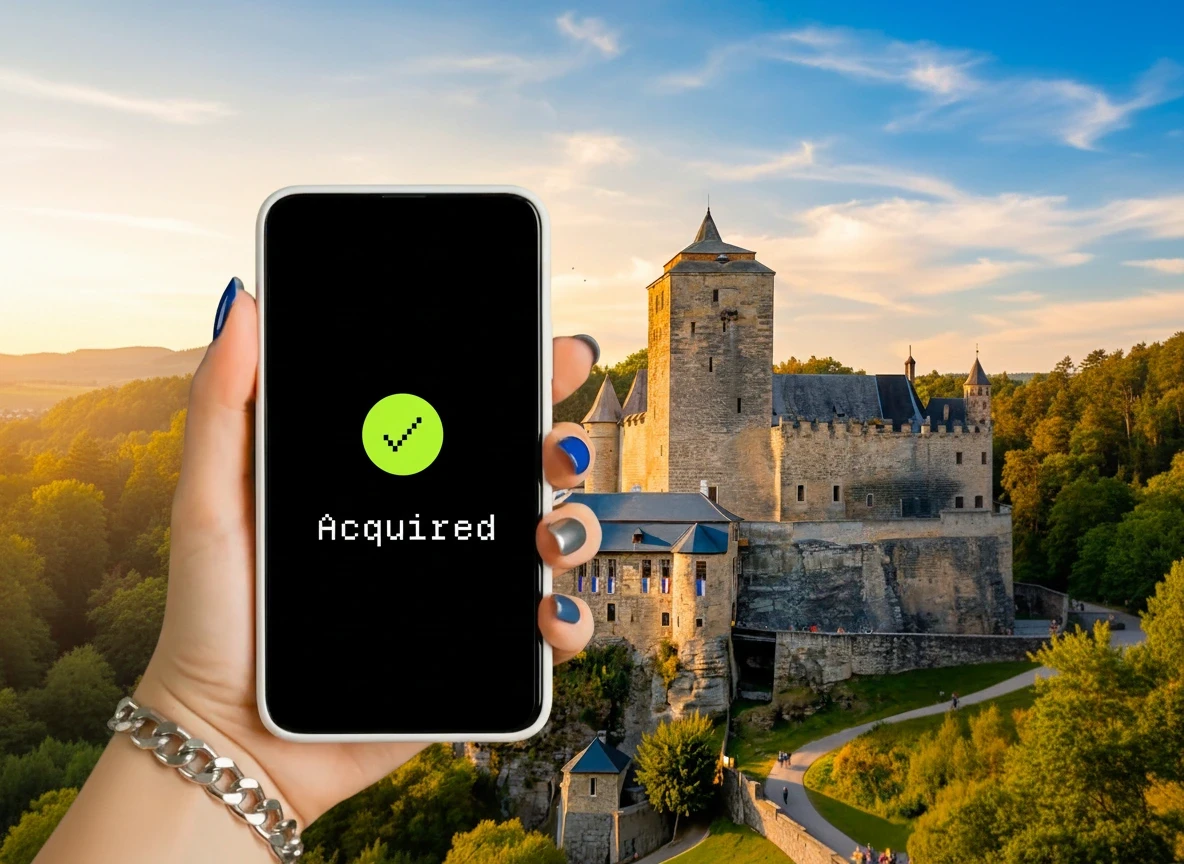
Your Placerion digital stamp is stored in your user account on the Placerion platform. Once you complete the purchase, the stamp is immediately added to your personal collection, where you can view it, organize it, and keep track of all the places you’ve visited.

4.

Collect

Your Placerion digital stamp is stored in your user account on the Placerion platform. Once you complete the purchase, the stamp is immediately added to your personal collection, where you can view it, organize it, and keep track of all the places you’ve visited.

4.

Collect

Your Placerion digital stamp is stored in your user account on the Placerion platform. Once you complete the purchase, the stamp is immediately added to your personal collection, where you can view it, organize it, and keep track of all the places you’ve visited.

Collection benefits

Your Placerion collection can unlock additional benefits over time.
Some features are available directly on the platform, while others may be tied to specific stamps or collection milestones.

For collectors who want more control, selected stamps can also be optionally minted as NFTs. Minting is not required to use Placerion, but it enables advanced capabilities such as digital ownership, transferability, and participation in optional programs like rewards.

Setting up a wallet

To own and store your NFTs, you’ll need a digital wallet.

A wallet is like your personal keychain for NFTs and cryptocurrencies — it proves what belongs to you and keeps it safe. One of the easiest and most beginner-friendly wallets is Phantom Wallet. It’s free, secure, and takes just a minute to set up. Here’s how to get started:

Option 1: Quick setup with Google or ApplE

Go to the official Phantom website: https://phantom.com/

Click Download and choose your device (iOS, Android, or browser extension for Chrome, Edge, or Firefox)

Open the app and click Continue with Google or Continue with Apple

Sign in with your existing account — Phantom will automatically create your wallet

You’ll get a recovery phrase (12 secret words). This is the “master key” to your wallet. Write it down and store it somewhere safe — never share it with anyone

That’s it! You can now start receiving and storing NFTs.

Option 2: Create a wallet manually

Install the Phantom Wallet app or browser extension

Click Create a new wallet

Phantom will generate your recovery phrase — carefully write it down and keep it offline (never in email or cloud storage)

Set a strong password for quick logins

Your wallet is ready — you’ll see your public wallet address (looks like a long string of letters and numbers). This is what you share to receive NFTs

Why Phantom?

Super easy for beginners.

Works perfectly with Solana (where Placerion NFTs live)

Let's you log in quickly with Google or Apple

New to the NFT world?

To understand NFTs, let’s start with the word itself: non-fungible token.

Fungible = interchangeable. Some things in life are all the same. For example, one $1 bill can always be swapped for another $1 bill — they’re identical in value. The same goes for a train ticket or a liter of milk. You don’t care which one you get, because they’re all equal.

Non-fungible = unique. Other things are one-of-a-kind. Think of a painting, a signed baseball, or your own passport. Even if someone made a copy, it wouldn’t be the same — the original has its own history and value.

How NFTs Work

Whenever an NFT is created, bought, sold, or transferred, it’s written into this notebook. Once it’s written down, it stays there forever. Anyone can open the notebook and check the full history.

For example: Imagine buying a piece of art. Normally you’d get a piece of paper that says it’s authentic. But papers can be lost, destroyed, or forged. With NFTs, the proof is built directly into the blockchain. You can see:

Who created it

Every person who has owned it

Every sale price since it was first made.

It’s like giving each item a digital passport that proves it’s the real thing.

Selling your NFTs

You can also sell or trade your NFTs on marketplaces like OpenSea, Magic Eden, or Blur. When someone buys your NFT, you receive cryptocurrency directly in your wallet, which you can later convert into regular money (EUR, CZK, USD) through an exchange such as Coinbase, Binance, or Kraken.

You can also sell or trade your NFTs on marketplaces like OpenSea, Magic Eden, or Blur. When someone buys your NFT, you receive cryptocurrency directly in your wallet, which you can later convert into regular money (EUR, CZK, USD) through an exchange such as Coinbase, Binance, or Kraken.

Security tips for beginners

Your NFTs are valuable digital collectibles, so keeping them safe is important. Here are a few simple rules:

  1. Never share your recovery phrase

When you create a wallet, you’ll receive 12 secret words (your recovery phrase). This is the master key to everything you own. Keep it offline, write it down, and never send it by email or message.

  1. Use only official apps and websites

Download wallets like Phantom only from their official site or app store. Buy Placerion NFTs only through the official Placerion places.

  1. Beware of scams

If someone asks for your recovery phrase or wallet password, it’s a scam. Placerion will never ask you for these details.

  1. Keep your device secure

Use a strong password on your phone or computer, and keep your software up to date.

By following these simple steps, your collection will stay safe and fully under your control.

Glossary

Crypto / Cryptocurrency - Digital money used online, like Bitcoin (BTC), Ethereum (ETH), or Solana (SOL). You can use it to buy NFTs or exchange it for traditional money (EUR, USD, CZK).

Blockchain - A blockchain is a shared digital record (like a permanent online notebook) where information (like who owns an NFT) is stored in linked blocks. Every action — such as creating, buying, or selling an NFT — is recorded forever and once added, it can’t be changed. This makes it safe and trustworthy., making it safe and trustworthy.

NFT - NFT (non-fungible token) is a unique digital collectible stored on a blockchain. NFTs can represent almost anything, but unlike a regular file or image, an NFT serves as a digital record of ownership. It can’t be copied, replaced, or faked.

Wallet - A wallet is a digital tool you need to store your NFTs and the cryptocurrency used to buy them. It works like an online keychain that proves what’s yours. Popular examples are MetaMask, Coinbase Wallet, and Phantom.

Solana - The blockchain where all Placerion NFTs live. Solana is fast, low-cost, and environmentally friendly, making it perfect for collectibles.

Gas Fee / Transaction Fee - A small fee paid when you buy, sell, or move an NFT on the blockchain. On Solana these fees are very low, usually just a fraction of a cent.

Collect places.
Keep memories.

© 2026 Placerion s.r.o., All rights reserved.

Made by

Collect places.
Keep memories.

© 2026 Placerion s.r.o., All rights reserved.

Made by

Collect places.
Keep memories.

© 2026 Placerion s.r.o., All rights reserved.

Made by